Airflow UI
Airflow variables
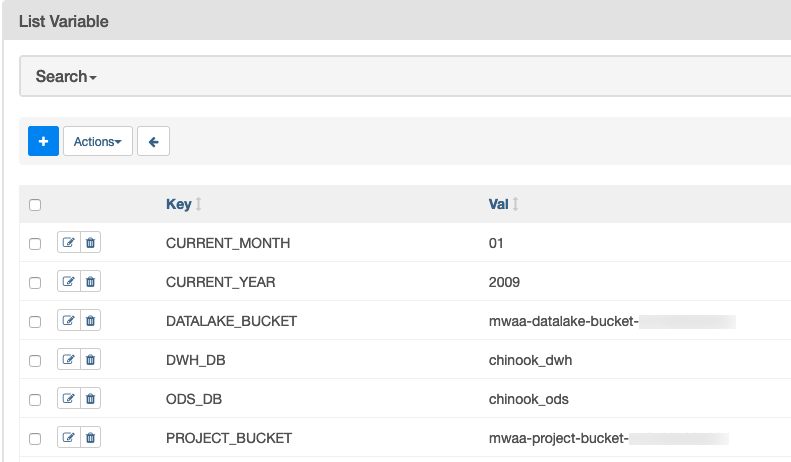
- Airflow UI의 Admin->Variables 화면으로 가서 DAG 스크립트에서 사용 할 Airflow 변수를 다음 테이블의 정보를 참조하여 생성 하십시오.
Airflow 변수를 생성하기 전에 <your_aws_account_id> 문구는 현재 사용하고 있는 12자리 AWS Account ID로 변경해야 합니다.
| Key | Val |
|---|---|
ODS_DB |
chinook_ods |
DWH_DB |
chinook_dwh |
CURRENT_YEAR |
2009 |
CURRENT_MONTH |
01 |
DATALAKE_BUCKET |
mwaa-datalake-bucket-<your_aws_account_id> |
PROJECT_BUCKET |
mwaa-project-bucket-<your_aws_account_id> |
Airflow connections
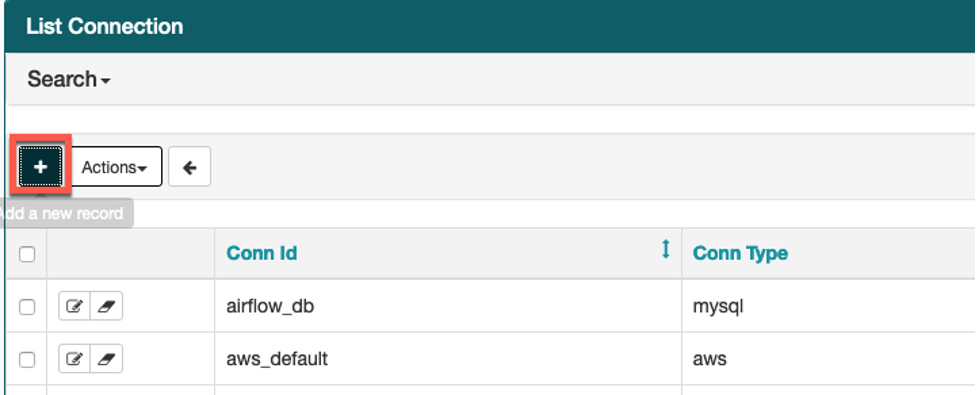
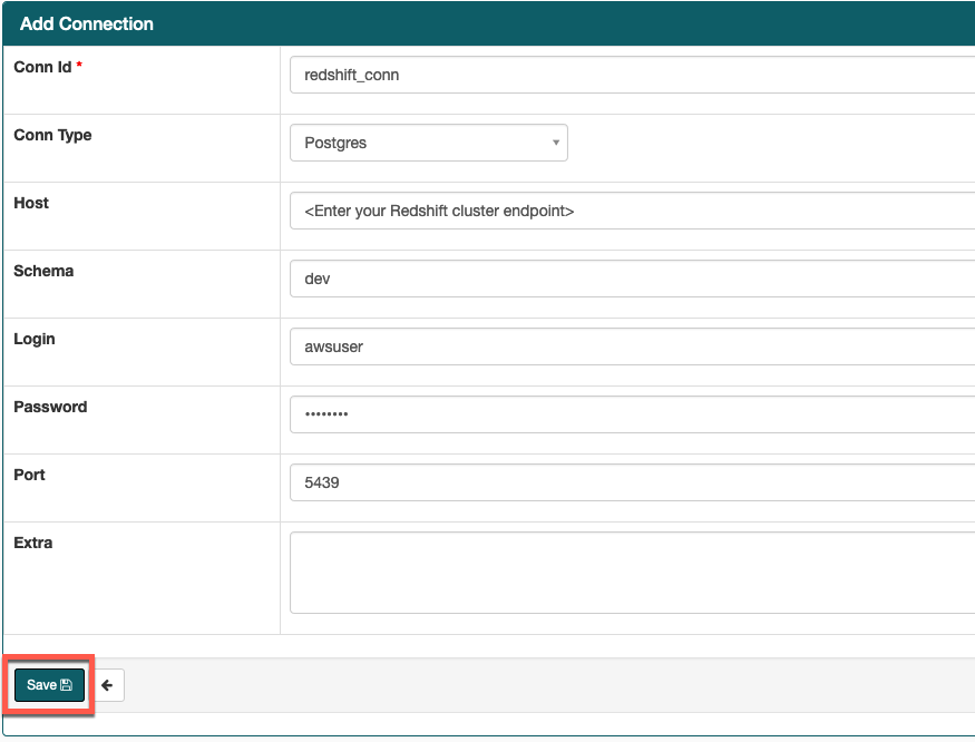
- Airflow UI의 Admin->Connections 화면으로 가서 DAG 스크립트에서 사용 할 Redshift connection을 다음 테이블의 정보를 참조하여 생성하십시오.
Airflow connection을 생성하기 전에 <your_redshift_cluster_endpoint> 문구는 Cloudformation stack의 Output 탭에 출력 된 RedshiftClusterEndpoint로 변경해야 합니다.
| Key | Val |
|---|---|
| Conn Id | redshift_conn |
| Conn Type | Postgres |
| Host | <your_redshift_cluster_endpoint> |
| Schema | dev |
| Login | awsuser |
| Password | Welcome1 |
| Port | 5439 |